Have you ever heard of apps that don’t appear on your home screen, hide private data, or disguise themselves as something else? Welcome to the world of secret apps—a growing trend in the digital space that combines privacy, security, and sometimes controversy.
From protecting personal files to hiding sensitive conversations, secret apps are widely used by individuals who value discretion. However, they can also raise concerns, especially for parents and employers. Understanding how these apps work—and how to use them responsibly—is essential in today’s smartphone-driven world.
What Are Secret Apps?
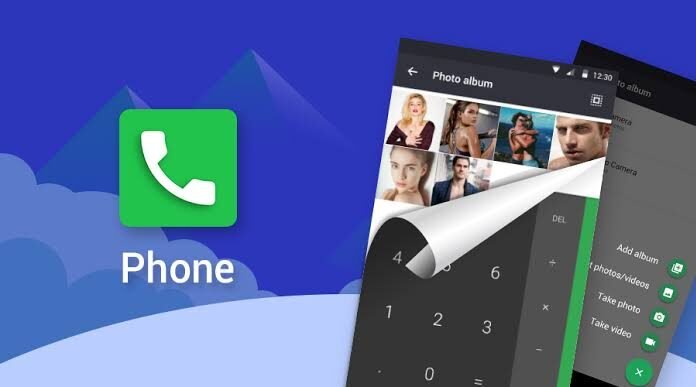
Secret apps are mobile applications designed to hide content or operate discreetly on a smartphone. They often appear as regular apps (like calculators or note pads) but contain hidden features accessible only through a passcode or special action.
These apps are commonly used for:
-
Hiding photos and videos
-
Securing private messages
-
Protecting confidential files
-
Maintaining digital privacy
While many secret apps are legitimate, their hidden nature sometimes makes them controversial.
How Secret Apps Work
Disguised Interfaces
Many secret apps look like everyday tools such as calculators or calendars. Only users who know the correct passcode can unlock the hidden content.
Encryption Technology
Secret apps use encryption to secure files, ensuring that even if someone accesses your phone, your data remains protected.
Hidden Storage
Files stored in secret apps are not visible in the phone’s gallery or file manager, adding an extra layer of privacy.
Password or Biometric Access
Most apps require a PIN, password, or fingerprint to access hidden content.
Popular Types of Secret Apps
1. Vault Apps
These apps store photos, videos, and documents securely. They are commonly used to protect personal media.
2. Private Messaging Apps
Some apps offer hidden chat features with encryption and self-destructing messages.
3. App Hiders
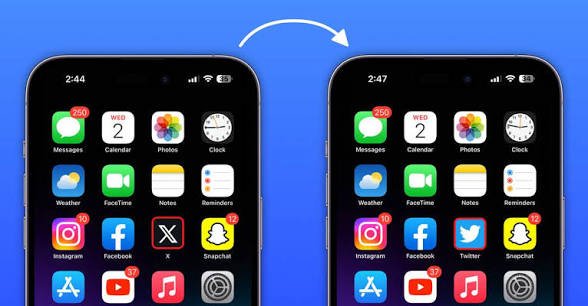
These tools allow users to hide or clone apps so they don’t appear on the home screen.
4. Disguised Utility Apps
Apps that look like calculators or note apps but function as secret storage tools.
Benefits of Secret Apps
Enhanced Privacy
Secret apps help keep your personal data safe from unauthorized access.
Data Security
With encryption and password protection, sensitive information remains secure.
Organized Storage
They provide a dedicated space for confidential files, separate from regular data.
Peace of Mind
Knowing your private content is protected reduces stress and worry.
Risks and Concerns
Misuse Potential
Secret apps can be used to hide inappropriate or harmful content.
Trust Issues
In relationships or families, hidden apps can sometimes lead to suspicion.
Security Risks
Not all secret apps are trustworthy—some may collect or misuse your data.
Parental Concerns
Parents may worry about children using hidden apps without supervision.
How to Detect Secret Apps
Check Installed Apps
Look through the full app list in settings, not just the home screen.
Monitor Storage Usage
Unusual storage consumption may indicate hidden files.
Look for Duplicate Apps
Some secret apps create clones or duplicates of existing apps.
Review Permissions
Apps with unnecessary permissions (like camera or storage access) may be suspicious.
Tips for Using Secret Apps Safely
Choose Trusted Apps
Download apps only from official stores and check reviews before installing.
Use Strong Passwords
Always secure your app with a strong and unique password.
Avoid Storing Sensitive Data Unnecessarily
Only keep essential private files in secret apps.
Update Regularly
Keep your apps updated to protect against security vulnerabilities.
Be Transparent When Needed
If you’re using secret apps in shared environments, ensure it doesn’t create trust issues.
Are Secret Apps Legal?
Yes, secret apps are generally legal and widely available. However, their use depends on intent. Using them for personal privacy is acceptable, but misuse for illegal or unethical purposes can lead to serious consequences.
Who Should Use Secret Apps?
Secret apps are suitable for:
-
Individuals who value privacy
-
Professionals handling confidential data
-
Users wanting secure storage for personal files
However, they should always be used responsibly and ethically.
Conclusion
Secret apps offer a powerful way to protect your privacy in an increasingly digital world. With features like encryption, hidden storage, and secure access, they provide peace of mind for users who want to keep their personal data safe.
However, like any technology, they come with both benefits and risks. The key is to use secret apps wisely—prioritizing security, transparency, and responsible usage.
Download
Download
When used correctly, secret apps can be a valuable tool for safeguarding your digital life without compromising trust or integrity.