In a world where our smartphones hold everything from personal chats to banking details, privacy is no longer optional—it’s essential. Imagine handing your phone to someone for a quick call, only to worry about them opening your private apps. That’s exactly where Lock Apps come in.
These powerful tools act like a digital lock on your apps, ensuring that only you can access your sensitive information. Whether it’s your social media, gallery, or financial apps, app lockers provide an extra layer of security that your device truly needs.
What Are Lock Apps?
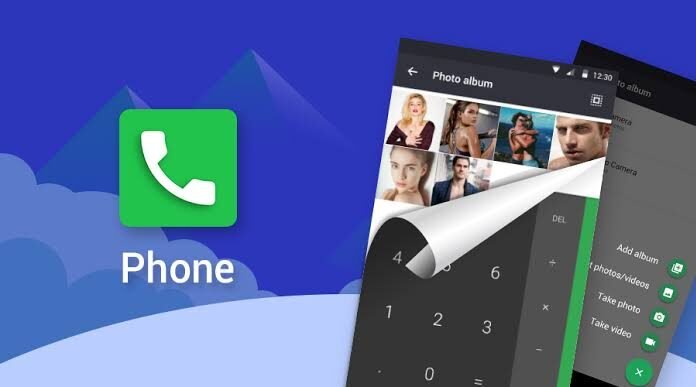
Lock Apps are mobile applications designed to restrict access to specific apps on your phone using passwords, PINs, patterns, or biometric authentication.
Instead of locking your entire device, they allow you to:
- Protect individual apps
- Secure private data
- Prevent unauthorized usage
Popular examples include AppLock and Norton App Lock, both known for their strong security features.
How Do Lock Apps Work?
Basic Functionality
Lock apps create a protective layer over selected applications. When someone tries to open a locked app, they must enter:
- A PIN code
- A password
- A pattern
- Or use fingerprint/face unlock
Behind the Scenes
These apps use system permissions to monitor app launches and instantly trigger a lock screen before access is granted.
Key Features of Lock Apps
1. App-Level Security
Lock specific apps like WhatsApp, Gallery, or Banking apps without affecting the entire phone.
2. Biometric Authentication
Modern lock apps support fingerprint and face recognition for quick and secure access.
3. Intruder Detection
Some apps take a photo of anyone who enters the wrong password—helping you catch snoopers.
4. Custom Lock Settings
You can set different lock methods for different apps or customize lock timing.
5. Hidden Mode
Advanced lock apps can hide themselves to prevent others from uninstalling or tampering with them.
Benefits of Using Lock Apps
Protect Personal Privacy
Keep your personal chats, photos, and files safe from unauthorized access.
Secure Financial Information
Add an extra layer of protection to banking and payment apps.
Prevent Accidental Access
Stop kids or others from opening apps unintentionally.
Peace of Mind
You no longer need to worry when handing your phone to someone else.
Real-Life Use Cases
Social Media Protection
Lock apps like WhatsApp, Instagram, and Facebook to keep conversations private.
Gallery Security
Protect your photos and videos from unwanted viewing.
Work and Business Data
Secure confidential emails, documents, and business apps.
Parental Control
Limit children’s access to certain apps on your device.
Tips to Choose the Best Lock Apps
Look for Strong Security Features
Choose apps that offer biometric locks and advanced encryption.
Check User Reviews
Apps with high ratings and positive feedback are usually more reliable.
Avoid Too Many Ads
Free apps with excessive ads can be annoying and sometimes unsafe.
Keep It Updated
Always update your lock app to ensure maximum security and performance.
Are Lock Apps Completely Safe?
While lock apps significantly improve security, they are not a complete replacement for built-in phone security.
Best Practice:
- Use lock apps alongside your phone’s default lock screen
- Install apps only from trusted sources like official app stores
- Regularly update your device and apps
This layered approach ensures maximum protection.
Lock Apps vs Built-In Security: What’s Better?
| Feature | Lock Apps | Built-In Security |
|---|---|---|
| App-level locking | ✅ Yes | ❌ Limited |
| Customization | ✅ High | ❌ Low |
| Biometric support | ✅ Yes | ✅ Yes |
| Extra features | ✅ Advanced | ❌ Basic |
Conclusion: Lock apps complement your device’s security rather than replace it.
Conclusion: Take Control of Your Digital Privacy
In today’s digital age, protecting your personal data is more important than ever. Lock Apps provide a simple yet powerful way to secure your sensitive information and maintain your privacy.
Download
Download
Whether you want to protect personal chats, financial apps, or private media, these tools give you full control over who can access your data.