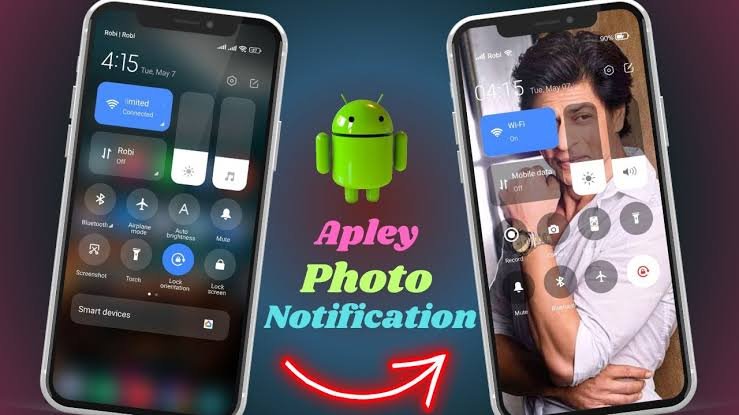
In today’s fast-paced digital world, notifications play a huge role in how we stay informed and connected. From breaking news alerts to social media updates and app reminders, notifications ensure we don’t miss important information. Whether you’re using a smartphone, computer, or smartwatch, notifications have become an essential part of daily digital life. When used correctly, they improve productivity and communication—but when overused, they can also become distracting.
What are Notifications
Notifications are short alert messages sent by apps, websites, or operating systems to inform users about updates, events, or actions that require attention. These alerts can appear as pop-ups, banners, sounds, vibrations, or icons on your device screen.
Common examples of notifications include:
-
Incoming call or message alerts
-
Email notifications
-
App updates and reminders
-
System warnings (battery low, storage full)
Notifications are designed to deliver timely information without requiring users to open an app repeatedly.
How are Notifications Work
Notifications work through a push or pull system depending on the platform:
-
App or server generates an update
When something happens (new message, comment, or update), the app’s server creates a notification. -
Notification service processes the alert
Services like Android Notification Manager, Apple Push Notification Service (APNs), or browser notification systems handle delivery. -
Device receives the notification
Your device checks permissions and settings before displaying the alert. -
User interaction
The user can tap, dismiss, mute, or act on the notification directly.
This system ensures real-time communication while giving users control over what they see.
Features of Notification (Completely Detailing)
Notifications come with several useful features that enhance user experience:
-
Real-time alerts – Instant updates without opening the app
-
Customization options – Control sound, vibration, priority, and appearance
-
Action buttons – Reply, delete, mark as read directly from the notification
-
Grouping – Multiple alerts from the same app grouped together
-
Scheduling – Do Not Disturb or focus modes for quiet hours
-
Cross-device sync – Notifications sync across phone, tablet, and smartwatch
-
Security controls – Hide sensitive content on lock screens
These features help users stay informed while maintaining privacy and control.
Pros of Notification
| Pros | Description |
|---|---|
| Instant updates | Receive information in real time |
| Time-saving | No need to open apps repeatedly |
| Improved communication | Faster response to messages and alerts |
| Customizable | Users can control notification behavior |
| Productivity boost | Reminders help manage tasks |
Cons of Notification
| Cons | Description |
|---|---|
| Distractions | Too many alerts reduce focus |
| Notification overload | Excessive alerts cause stress |
| Battery usage | Frequent notifications consume power |
| Privacy concerns | Sensitive info may appear on screen |
| Dependence | Users may rely too much on alerts |
Notification Alternatives
| Alternative | Use Case |
|---|---|
| Email summaries | Best for non-urgent updates |
| In-app messages | Notifications shown only inside the app |
| SMS alerts | Useful for critical information |
| Widgets | View updates without alerts |
| Scheduled reminders | Planned alerts instead of constant notifications |
These alternatives reduce interruption while still delivering important information.
Conclusion and Verdict Notification
Notifications are a powerful digital communication tool that keeps users updated, informed, and connected. When managed properly, they enhance productivity, improve responsiveness, and make daily digital interactions smoother. However, excessive or poorly managed notifications can lead to distraction and stress.
Download
The best approach is smart notification management—enabling only important alerts, using focus modes, and choosing suitable alternatives when possible. Overall, notifications are highly beneficial when used wisely, making them an essential feature of modern digital devices.