In today’s digital world, charging is something we do every single day—sometimes multiple times. Whether it’s your smartphone, laptop, tablet, smartwatch, or electric vehicle, proper charging habits can make a huge difference in performance and battery lifespan. But how much do you really know about charging?
In this guide, we’ll break down how charging works, the types of charging technologies available, and practical tips to improve battery health. By the end, you’ll understand how to charge smarter—not just faster.
What Is Charging?
Charging is the process of transferring electrical energy into a battery so it can store power for later use. Most modern devices use lithium-ion batteries, which are efficient, lightweight, and rechargeable.
When you plug in your device, electrical current flows from the power source through a charger into the battery. Inside, chemical reactions store that energy until it’s needed.
Why Proper Charging Matters
Improper charging habits can:
-
Reduce battery lifespan
-
Cause overheating
-
Lead to slower performance
-
Increase safety risks
Smart charging habits protect your investment and keep your devices running smoothly.
How Charging Works
Understanding the basics helps you make better decisions.
1. Power Source
The electricity comes from a wall outlet, power bank, or car charger.
2. Adapter and Cable
The adapter converts high-voltage AC power into lower-voltage DC power suitable for your device. The cable then transfers that energy.
3. Battery Management System (BMS)
Modern devices include a battery management system that regulates charging speed, temperature, and voltage to prevent overcharging.
Types of Charging Technologies
Technology has improved significantly over the years. Let’s look at the most common charging methods.
Standard Charging
This is the traditional method where devices charge at a steady rate. It’s safe but relatively slow.
Fast Charging
Fast charging increases power delivery to reduce charging time. Technologies like USB Power Delivery (USB-PD) and Qualcomm Quick Charge allow compatible devices to charge up to 50% in about 30 minutes.
Tip: Always use certified chargers to avoid overheating or battery damage.
Wireless Charging
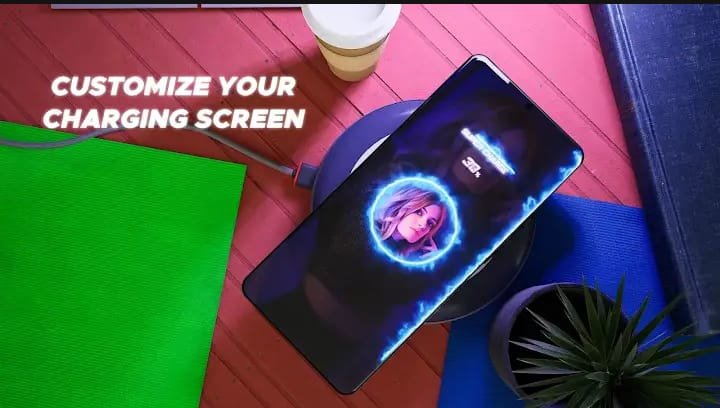
Wireless charging uses electromagnetic fields to transfer energy between a charging pad and your device.
Pros:
-
No cables required
-
Convenient and tidy
Cons:
-
Slightly slower than wired charging
-
Generates more heat
Smart Charging
Some modern devices include adaptive charging features that learn your usage habits. For example, many smartphones delay charging beyond 80% overnight to protect battery health.
Charging and Battery Health
One of the most searched topics related to charging is how to extend battery life. Here’s what you need to know.
Avoid 0% and 100% Extremes
Lithium-ion batteries last longer when kept between 20% and 80%. Constantly draining to 0% or staying at 100% stresses the battery.
Keep Devices Cool
Heat is the biggest enemy of battery health. Avoid:
-
Charging under pillows
-
Using heavy apps while charging
-
Leaving devices in direct sunlight
Use Quality Chargers
Cheap, uncertified chargers can:
-
Deliver inconsistent voltage
-
Overheat
-
Damage your battery
Always choose original or certified third-party chargers.
Charging Speed vs. Safety
Many users prioritize fast charging—but speed isn’t everything.
Fast charging generates more heat, which can slowly degrade battery cells. While it’s convenient during emergencies, daily slow charging may help extend battery lifespan.
Best Practice:
Use fast charging when needed, but rely on standard charging for overnight or regular use.
Common Charging Myths
Let’s clear up a few misconceptions.
Myth 1: Overcharging Ruins Batteries
Modern devices automatically stop charging when they reach 100%. However, keeping the device plugged in at 100% for long periods may still create heat stress.
Myth 2: You Must Fully Drain Before Charging
This applied to older nickel-based batteries, not modern lithium-ion batteries. Partial charging is completely safe.
Myth 3: All Chargers Are the Same
Different chargers provide different wattages. Using the wrong one may result in slower charging or potential safety risks.
Charging Tips for Everyday Users
Here are practical, actionable tips:
-
Charge between 20% and 80% when possible
-
Remove thick cases if the device overheats
-
Avoid gaming while charging
-
Update device software for battery optimizations
-
Use airplane mode for slightly faster charging
Small changes can significantly improve long-term battery performance.
Charging Beyond Smartphones
Charging isn’t limited to phones. It plays a major role in:
-
Laptops and tablets
-
Wireless earbuds
-
Smartwatches
-
Electric vehicles (EVs)
For EVs, charging speed depends on Level 1, Level 2, or DC fast charging stations. Just like phones, battery health and temperature management are crucial.
The Future of Charging
Charging technology continues to evolve. Innovations like ultra-fast 100W+ charging, improved wireless efficiency, and longer-lasting solid-state batteries are shaping the future.
We’re moving toward:
-
Faster charging times
-
Safer battery management
-
More energy-efficient systems
The goal? Less waiting, more productivity.
Conclusion: Charge Smart, Not Just Fast
Charging may seem simple, but understanding how it works can dramatically improve your device’s performance and lifespan. By using certified chargers, avoiding extreme battery levels, managing heat, and balancing speed with safety, you can protect your battery for years.