Smartphones have become a part of our everyday life. We use them for chatting, online banking, social media, storing photos, and even managing work. Because of this, our phones carry a lot of personal and sensitive information. Sometimes we share our phones with friends, family members, or children, and that can put our privacy at risk. This is where lock apps become extremely useful. Lock apps help keep your personal apps and data safe by adding an extra layer of protection.
What Are Lock Apps
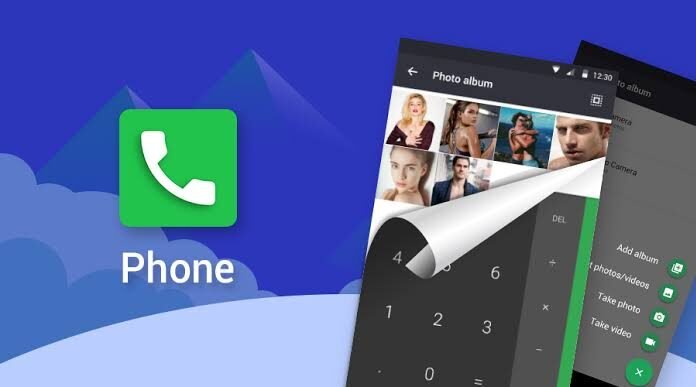
Lock apps are mobile security applications designed to protect other apps on your phone. Instead of locking the entire device, these apps allow you to lock selected applications such as your gallery, messaging apps, social media, or banking apps.
They usually require a PIN, pattern, password, fingerprint, or face unlock before granting access. Lock apps are especially popular among users who care about privacy or often hand over their phones to others. Most lock apps are available on Android, while iOS offers limited options due to system restrictions.
How Are Lock Apps Work
Lock apps work quietly in the background and activate whenever someone tries to open a protected app. After installation, the user sets a security method and selects which apps need protection.
When a locked app is opened, the lock screen immediately appears and asks for verification. If the correct password or biometric input is provided, the app opens normally. If not, access is denied.
Some advanced lock apps also take a photo of the person trying to access your phone or show a fake error screen to confuse intruders. Overall, the process is simple, fast, and effective.
Features of Lock Apps [Completely Detailing]
Lock apps come with many helpful features that improve mobile security and user experience:
- Multiple Lock Options – Use PIN, pattern, fingerprint, or face unlock.
- App-Specific Locking – Lock only the apps you want, not the whole phone.
- Intruder Alerts – Take a photo when someone enters the wrong password.
- Fake Lock Screens – Show a fake crash or error message for extra security.
- Auto-Lock System – Automatically lock apps after screen off or time delay.
- Private Vault – Hide photos, videos, and files securely.
- Custom Lock Themes – Change the appearance of the lock screen.
- Lightweight Performance – Designed to work smoothly without heavy lag.
Pros of Lock Apps
| Pros | Explanation |
|---|---|
| Strong Privacy Protection | Keeps personal apps and data safe |
| Easy to Use | Simple setup and clear interface |
| Selective Locking | Lock only important apps |
| Extra Security Features | Intruder selfies and fake screens |
| Flexible Security Methods | Supports biometric and password locks |
Cons of Lock Apps
| Cons | Explanation |
|---|---|
| Battery Consumption | Background activity may use some power |
| Ads in Free Apps | Free versions often display ads |
| Performance Issues | May slow down older devices |
| App Compatibility | Can conflict with system updates |
| Password Risk | Forgetting the password can cause trouble |
Lock Apps Alternatives
| Alternative | Description |
|---|---|
| Built-in App Lock | Many Android phones include this feature |
| Secure Folder | A private space offered by Samsung devices |
| Full Device Lock | Locks the entire phone instead of apps |
| Parental Control Apps | Helps restrict access for children |
| Cloud Security Tools | Protect data stored online |
Conclusion and Verdict Lock Apps
Lock apps are a smart and practical solution for anyone who values privacy. They offer an extra layer of security that goes beyond the basic screen lock and allow you to protect specific apps with ease. While free versions may include ads and minor battery usage, the level of protection they provide makes them worth using.
Download
Download
Download
Final Verdict:
If you want better control over your privacy and personal data, lock apps are absolutely worth installing. Choose a trusted app with good reviews, and you’ll enjoy peace of mind knowing your information is secure.